
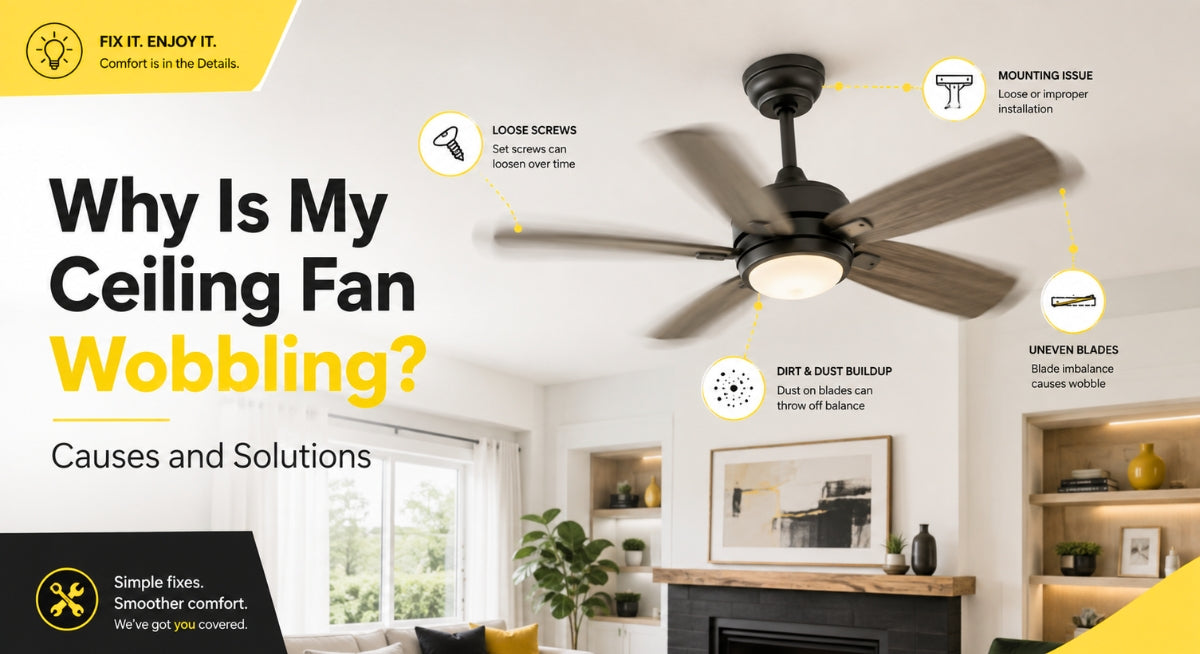
Why Is My Ceiling Fan Wobbling? Causes and Solutions
A wobbling ceiling fan can be distracting, noisy, and concerning. In many cases, the problem is caused by something simple, such as a loose screw, uneven fan blades, or dust buildup. However, excessive movement can also indicate an installation problem that should be corrected before the fan is used again.
Although a small amount of movement may occur when a ceiling fan operates at high speed, the fan should not shake noticeably, make repeated clicking noises, or appear as though it is pulling away from the ceiling.
This guide explains the most common causes of a wobbling ceiling fan, how to troubleshoot the problem, and when it is best to contact a professional.
Is It Normal for a Ceiling Fan to Wobble?

A slight amount of movement can be normal, especially when a ceiling fan is running at its highest speed. Ceiling fans contain rotating parts, so they may not remain completely motionless while operating.
However, the fan should not:
-
Swing noticeably from side to side
-
Make loud clicking or rattling sounds
-
Shake the light fixture
-
Cause the pull chains to move excessively
-
Appear loose at the ceiling
-
Continue wobbling at every speed
If the movement is obvious from across the room, turn the fan off and inspect it before continuing to use it.
Why Is My Ceiling Fan Wobbling?
A ceiling fan usually wobbles because its weight is not evenly distributed as the blades rotate. This imbalance may come from the blades themselves, loose hardware, improper installation, or damage to the fan.
Here are the most common causes.
1. Loose Blade Screws

Each ceiling fan blade is attached to a blade arm or bracket using several screws. Over time, normal use and vibration can cause these screws to loosen.
When one blade is slightly looser than the others, it may sit at a different angle and create an uneven rotation.
How to Fix It
Turn the fan off and wait until the blades stop moving completely. Use a screwdriver to check the screws connecting:
-
The blades to the blade arms
-
The blade arms to the motor housing
-
Any decorative blade attachments
Tighten each screw carefully. Avoid overtightening, especially when working with wooden, composite, or plastic blades, because excessive pressure could damage the material.
2. Uneven or Misaligned Fan Blades

For a ceiling fan to operate smoothly, every blade should sit at approximately the same height and angle. A blade that is bent, warped, or mounted incorrectly can create a noticeable wobble.
Even a small difference between the blades may become more obvious when the fan runs at medium or high speed.
How to Check Blade Alignment
Use a measuring tape or ruler to measure the distance from the ceiling to the tip of each blade.
Rotate the fan by hand and measure each blade at the same location. The measurements should be very similar.
If one blade sits noticeably higher or lower, check its screws and blade arm. A bent blade arm may need to be adjusted or replaced.
Do not force a metal blade arm back into position unless the manufacturer provides instructions for doing so. Bending the component incorrectly could weaken it or make the imbalance worse.
3. Dust Buildup on the Blades

Dust may not seem heavy, but uneven buildup can affect the balance of a ceiling fan. This is especially common when one side of a blade collects more dust than the others.
Dust can also add resistance, reduce airflow, and place unnecessary strain on the motor.
How to Fix It
Turn off the fan and clean both sides of every blade using a soft microfiber cloth. Support each blade with one hand while cleaning to avoid placing pressure on the blade arms.
For heavy buildup, use a slightly damp cloth and dry the blades afterward. Avoid soaking wooden or engineered-wood blades.
Cleaning your ceiling fan regularly may improve its appearance, airflow, and overall performance.
4. A Loose Ceiling Fan Mount

A ceiling fan must be securely attached to a ceiling fan-rated electrical box or an approved mounting system. If the mounting bracket, electrical box, or canopy is loose, the entire fan may move while operating.
This can be more serious than a basic blade-balancing problem.
Signs of a Loose Mount
Stop using the fan and inspect the installation if:
-
The canopy moves against the ceiling
-
The mounting bracket shifts
-
The fan appears to hang unevenly
-
The ceiling box moves when touched
-
The fan makes knocking sounds near the ceiling
-
A gap has formed between the canopy and ceiling
A standard light-fixture electrical box may not be designed to support the weight and movement of a ceiling fan. The box should be clearly rated for ceiling fan support.
Because checking the electrical box may require removing the canopy and working near electrical wiring, consider contacting a licensed electrician when the mounting system is in question.
5. The Downrod Is Not Installed Correctly

On downrod-mounted ceiling fans, the downrod connects the motor housing to the ceiling mounting system. A missing pin, loose set screw, improperly seated hanging ball, or incorrect assembly can cause the fan to wobble.
How to Fix It
Turn off power to the fan at the circuit breaker before inspecting the canopy or downrod assembly.
Check that:
-
The downrod is fully secured
-
The set screws are tight
-
The locking pin is installed
-
The hanging ball is properly seated in the mounting bracket
-
The canopy is firmly attached
Installation designs vary, so follow the instructions provided by the fan manufacturer.
6. The Fan Blades Have Become Warped

Humidity, moisture, heat, and age can cause some ceiling fan blades to warp. Once a blade changes shape, the fan may become difficult to balance.
Warped blades are especially common when an indoor-rated ceiling fan is installed in a damp or outdoor location.
How to Check for Warped Blades
View the blades from the side and compare their shape. Look for:
-
Curved edges
-
Twisting
-
Sagging
-
Cracks
-
Swollen material
-
Peeling finishes
Damaged blades should generally be replaced rather than repaired.
When replacing blades, use a complete matching set whenever possible. Mixing blade sizes, weights, or materials can create additional balance problems.
7. One Blade Is Heavier Than the Others

Even when the blades look aligned, small differences in weight can cause wobbling. This may happen because of manufacturing variations, repairs, moisture exposure, or uneven finishes.
A ceiling fan balancing kit can help correct minor weight differences.
How to Balance a Ceiling Fan

Many balancing kits include a plastic clip and several adhesive weights. Some new ceiling fans include a balancing kit in the original packaging.
Step 1: Tighten and Clean the Fan
Before adding balancing weights, tighten the blade screws and clean every blade. Balancing weights should not be used to cover up a loose installation.
Step 2: Attach the Balancing Clip
Place the balancing clip near the center of one blade. Turn the fan on and observe the amount of wobble.
Turn the fan off before moving the clip to another blade.
Repeat the process until you identify the blade that produces the greatest improvement.
Step 3: Adjust the Clip Position
Move the clip closer to or farther from the motor along the selected blade. Test the fan after each adjustment.
The goal is to find the position where the fan operates most smoothly.
Step 4: Attach the Adhesive Weight
Once you find the best position, place an adhesive balancing weight on the top of the blade near the clip.
Remove the clip and test the fan again.
Because every balancing kit may work slightly differently, follow the instructions included with the kit.
8. The Blade Arms Are Bent or Damaged

The blade arms connect the fan blades to the motor. If one arm becomes bent, the attached blade may sit at the wrong height or angle.
Blade arms can become damaged during installation, moving, cleaning, or accidental contact.
How to Fix It
Compare the position of each blade arm. If one looks different, replacement may be the safest solution.
Use a replacement part designed for your specific ceiling fan model. Blade arms that look similar may still have different dimensions, mounting patterns, or angles.
9. The Fan Is Installed on an Uneven or Sloped Ceiling

A ceiling fan can be installed on many sloped ceilings, but it must use the correct mounting hardware and downrod configuration.
If the slope is too steep for the standard mounting system, the hanging ball may not sit properly inside the bracket. This can result in uneven movement or contact between the downrod and canopy.
A compatible slope adapter may be required for steep ceilings. Check the fan’s maximum supported ceiling angle before installation.
10. The Ceiling Fan Is Too Close to an Obstruction

Ceiling fan blades need adequate clearance from walls, beams, cabinets, doors, and other fixtures.
If a blade passes too close to an obstruction, airflow may become uneven. In some cases, the blade or fan housing may physically strike the nearby object.
Check that the fan has sufficient clearance on every side and that the blades do not contact pull chains, light shades, wires, or decorative components.
11. The Light Kit Is Loose

Sometimes the wobbling appears to come from the fan when the actual problem is a loose light kit, glass shade, bulb, or decorative cover.
A loose glass shade may rattle or amplify normal fan movement.
How to Fix It
Turn off the fan and allow the bulbs to cool. Check that:
-
The light kit is secured to the fan
-
Glass shades are properly installed
-
Shade screws are evenly tightened
-
Bulbs are secure
-
Decorative caps and finials are tight
Do not overtighten screws against glass, as this can crack or break the shade.
12. The Fan Motor or Internal Components Are Damaged

If the fan continues to wobble after the blades, screws, mounting system, and accessories have been checked, the problem may be inside the motor housing.
Possible issues include worn bearings, a damaged motor shaft, or internal components that are no longer aligned.
Internal motor repairs should usually be handled by the manufacturer, a qualified electrician, or a ceiling fan technician. Depending on the fan’s age and condition, replacing it may be more practical than repairing it.
How to Fix a Wobbling Ceiling Fan Step by Step

Use this basic troubleshooting order:
-
Turn off the ceiling fan.
-
Clean both sides of every blade.
-
Tighten the blade and blade-arm screws.
-
Check the blade heights and angles.
-
Inspect the blades and brackets for damage.
-
Tighten the light kit and decorative components.
-
Test the fan at low, medium, and high speed.
-
Use a ceiling fan balancing kit if necessary.
-
Inspect the downrod and mounting system.
-
Contact an electrician if the electrical box or ceiling mount moves.
Always turn off power at the circuit breaker before removing the canopy, touching wiring, or inspecting electrical connections.
Can a Wobbling Ceiling Fan Fall?

A small blade imbalance does not necessarily mean the fan is about to fall. However, excessive wobbling should never be ignored.
Continued movement can loosen screws, damage brackets, strain electrical connections, and place additional pressure on the mounting system.
Turn the fan off immediately if:
-
The electrical box moves
-
The fan hangs at an unusual angle
-
The downrod appears loose
-
The mounting bracket pulls away from the ceiling
-
You hear repeated knocking near the ceiling
-
Parts begin falling from the fan
-
The wobble suddenly becomes severe
Do not continue operating the fan until the mounting system has been inspected.
How to Prevent Ceiling Fan Wobbling

Regular maintenance can help keep a ceiling fan operating smoothly.
Clean the Blades Regularly
Remove dust from both sides of the blades so the weight remains evenly distributed.
Check the Hardware
Inspect the blade screws, motor housing, light kit, and canopy periodically. Tighten loose components before they create additional movement.
Use the Correct Fan Rating
Choose a dry-rated fan for indoor spaces, a damp-rated fan for covered humid locations, and a wet-rated fan for areas exposed directly to rain or water.
Using the correct rating helps prevent moisture-related blade and motor damage.
Follow the Installation Instructions
Use the mounting bracket, downrod, hardware, and electrical box recommended for the fan. Avoid mixing incompatible parts from different models.
Avoid Pulling on the Fan
Do not use the blades, light kit, or downrod to steady yourself while cleaning or working nearby. Pressure can bend the blade arms or loosen the mounting hardware.
When Should You Call an Electrician?

Some ceiling fan wobble problems can be fixed with basic tightening and balancing. Contact a licensed electrician when:
-
The ceiling electrical box is loose
-
The fan is attached to a box that is not fan-rated
-
Wiring is exposed or damaged
-
The mounting bracket is pulling away from the ceiling
-
The fan makes buzzing, grinding, or electrical noises
-
The motor housing becomes unusually hot
-
The fan was recently installed and has never operated correctly
-
You are unsure how the downrod or mounting system was assembled
A professional can determine whether the issue involves the fan, the electrical box, or the ceiling structure.
Frequently Asked Questions
Why does my ceiling fan wobble only on high speed?
Small differences in blade weight or alignment become more noticeable as the fan spins faster. Tightening the hardware, checking blade alignment, and using a balancing kit may solve the problem.
Can dust make a ceiling fan wobble?
Yes. Uneven dust buildup can add more weight to certain blades and create an imbalance. Clean both sides of every blade before making other adjustments.
Will tightening the screws stop the wobble?
It may. Loose blade screws and blade-arm screws are among the most common causes of ceiling fan wobbling. Check all accessible hardware, but do not overtighten screws against glass or delicate blade materials.
Are ceiling fan balancing kits effective?
Balancing kits can correct minor differences in blade weight. They will not fix a loose ceiling mount, damaged blade arm, warped blade, or incorrectly installed downrod.
Should I replace a wobbling ceiling fan?
Replacement may be appropriate when the motor shaft, blade arms, blades, or internal components are damaged. A fan may also need to be replaced if compatible replacement parts are no longer available.
Final Thoughts
A wobbling ceiling fan is often caused by loose hardware, uneven blades, dust buildup, or a minor balance issue. Start by cleaning the blades, tightening the screws, and checking that every blade sits at the same height.
If the fan continues to shake, inspect the blade arms, downrod, light kit, and ceiling mount. Stop using the fan and contact a qualified electrician if the mounting bracket or electrical box moves.
Correcting the problem early can help reduce noise, protect the fan’s components, and keep the fixture operating safely and efficiently.